
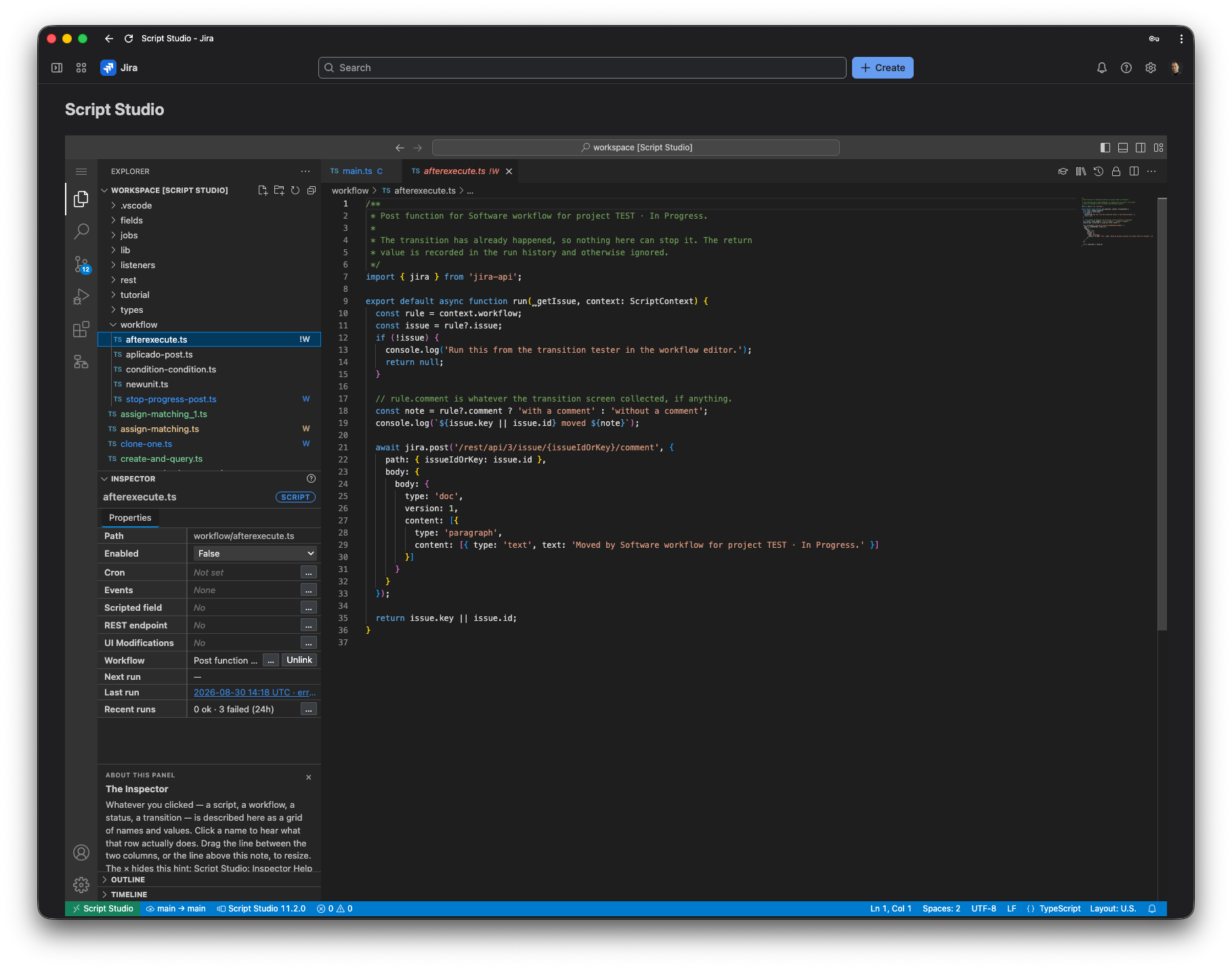
Can you run TypeScript in Jira Cloud?
- Jira does not provide a general-purpose built-in TypeScript editor for arbitrary admin scripts.
- Jira Automation handles many no-code and low-code scenarios.
- Advanced code-driven logic usually requires an app or a custom Forge application.
- Script Studio provides a ready-made TypeScript scripting environment for Jira Cloud.
Benefits
Why use TypeScript for Jira Cloud automation?
TypeScript in Jira Cloud gives technical teams the same language and tooling they already use elsewhere, applied to Jira scripting.
Familiar programming language
TypeScript is widely used by modern development teams and provides static typing, tooling and code completion.
More control than visual rules
Complex conditions, reusable logic and integrations can be easier to manage in code than in large automation rule trees.
Reusable code
Share common functions between listeners, scheduled jobs, workflows and endpoints.
Jira REST API access
Use Jira APIs directly from custom logic to read and update Jira data.
Better developer workflow
Code editing, files, history and structured scripts make advanced Jira customizations easier to maintain.
When Jira Automation is enough — and when TypeScript helps
Use Jira Automation when it is sufficient. Use scripting when your requirements become more complex.
Simple field updates
- Jira Automation
- Excellent
- TypeScript
- Possible, but often unnecessary
Basic notifications
- Jira Automation
- Excellent
- TypeScript
- Possible
Simple conditions
- Jira Automation
- Excellent
- TypeScript
- Useful when logic becomes complex
Complex reusable logic
- Jira Automation
- Can become difficult to maintain
- TypeScript
- Well suited
Custom API integrations
- Jira Automation
- Possible in some scenarios
- TypeScript
- More flexible
Advanced calculations
- Jira Automation
- Limited depending on use case
- TypeScript
- Flexible
Reusable libraries
- Jira Automation
- Limited
- TypeScript
- Yes
Custom HTTP endpoints
- Jira Automation
- Not designed for this
- TypeScript
- Suitable
Ways to run TypeScript in Jira Cloud
There are three practical approaches to Jira Cloud scripting with TypeScript.
Option 1
Build a custom Forge app
Atlassian Forge allows developers to build custom Jira Cloud applications using JavaScript/TypeScript.
Advantages
- Full development control
- Good for custom products or internal applications
- Native Atlassian development platform
Considerations
- Requires app development
- Requires deployment and maintenance
- More setup for ad-hoc Jira scripting
Option 2
Use Script Studio
Script Studio provides an integrated TypeScript workbench inside Jira Cloud, designed for Jira administrators and developers who want scripting capabilities without building a separate Forge app for every automation.
- TypeScript workbench
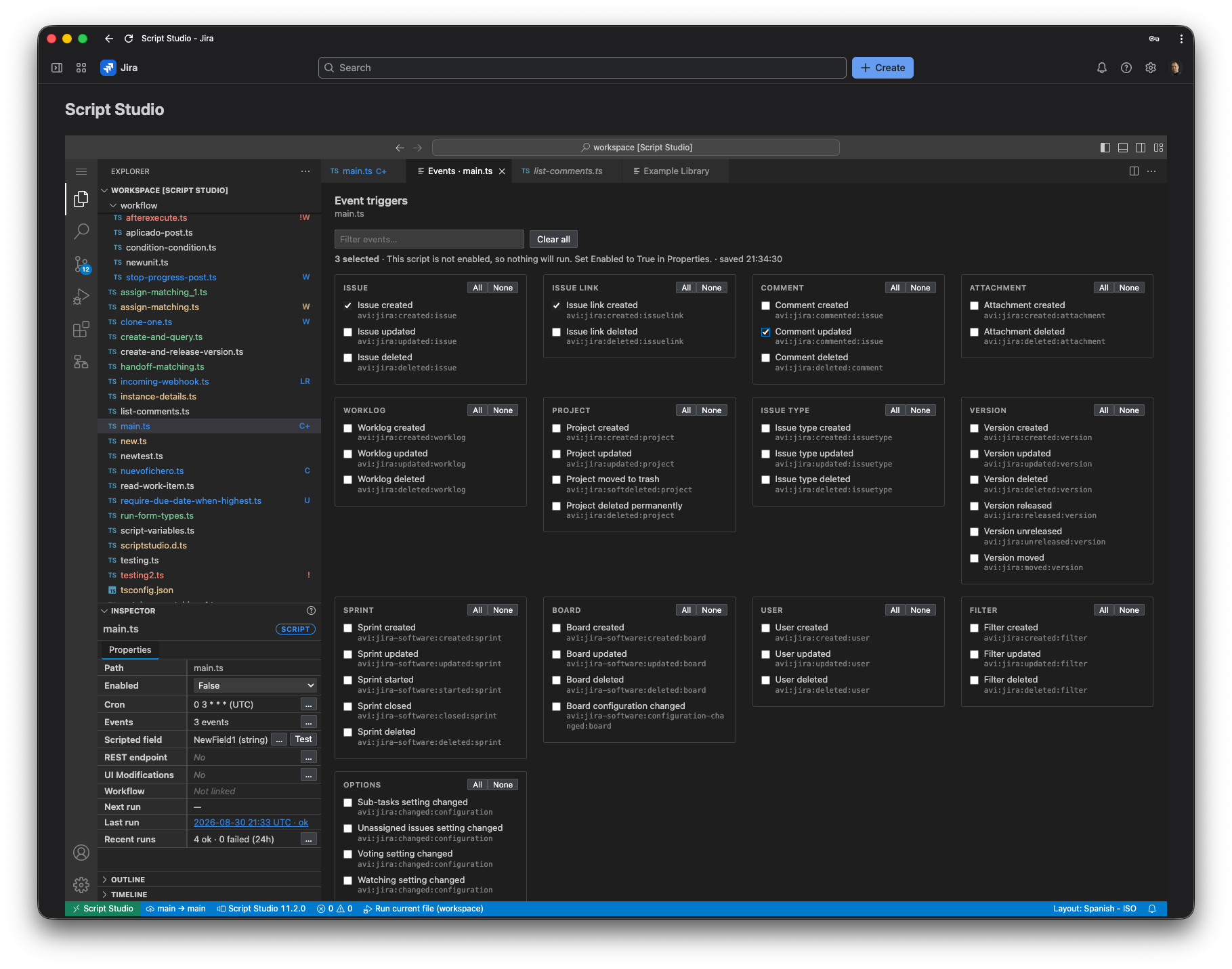
- Listeners
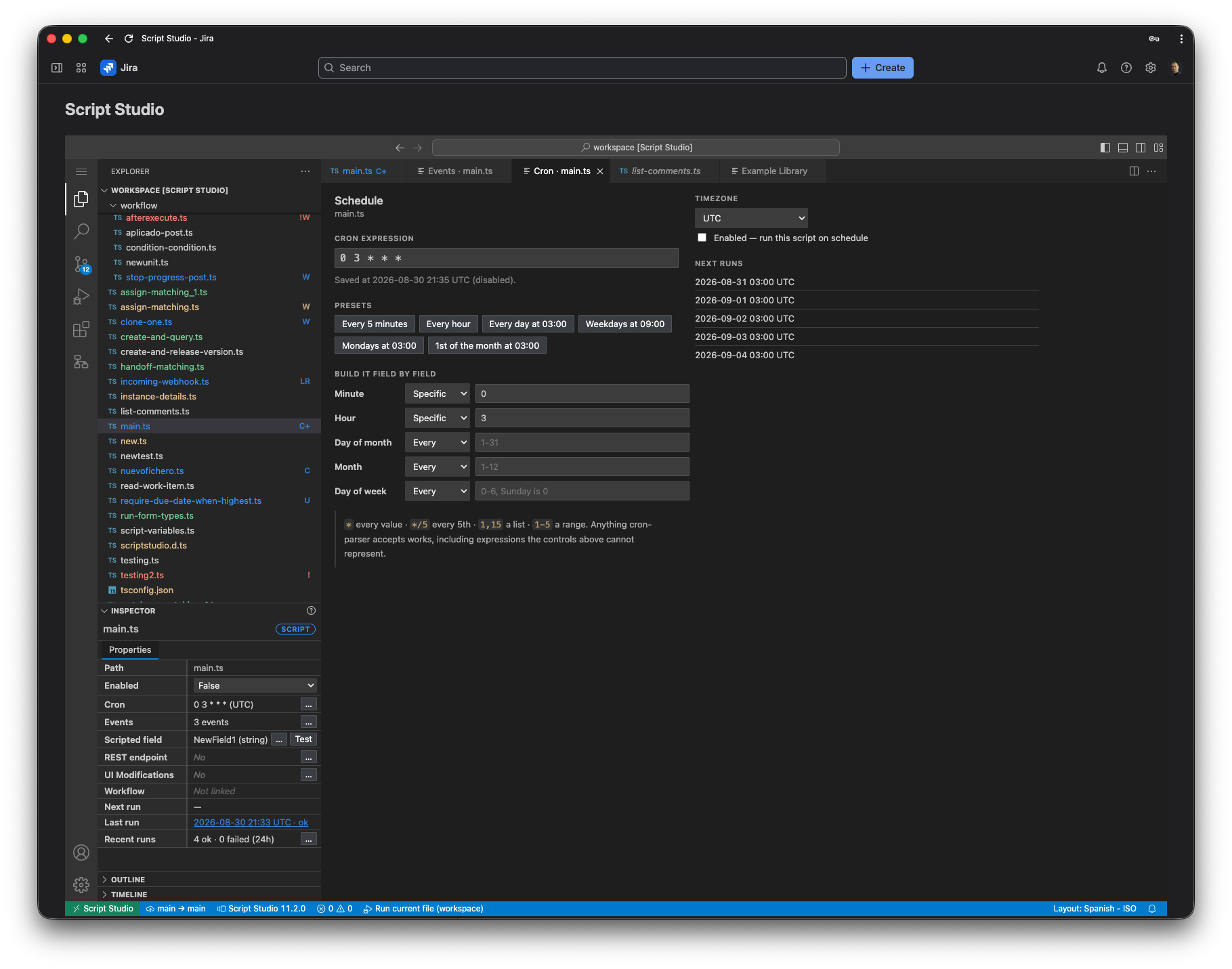
- Scheduled jobs
- Workflow functions
- Calculated fields
- HTTP endpoints
- Issue forms
- Source control
- Execution history
Option 3
Use another Jira scripting app
Other Jira scripting platforms, such as ScriptRunner, provide advanced automation and scripting capabilities using different architectures and development models.
Compare Script Studio and ScriptRunnerHow TypeScript scripting works in Script Studio
- 01
Open the Workbench
Open Script Studio from Jira administration and create or edit TypeScript files.
- 02
Write your Jira logic
Use TypeScript and Jira REST APIs to implement the required behavior.
- 03
Choose how the script runs
Connect the script to an event listener, scheduled job, workflow function, calculated field, HTTP endpoint or issue form.
- 04
Run and monitor
Execute scripts and review run history and execution results from the same environment.
Practical Jira TypeScript use cases
Short examples based on the Script Studio scripting documentation. Each script is a TypeScript file with a default exported function.
Example 1
React to an issue event
Run TypeScript when an issue is created or updated and apply custom business logic.
A script is a TypeScript file with a default exported function. The second parameter describes why it is running; for a listener, context.event holds the Jira event.
import { jira } from 'jira-api';

export default async function run(_getIssue: GetIssue, context: ScriptContext) {
  // context.event is populated when an event listener starts the script
  const { key, subject } = context.event;
  console.log(`Event ${key} on ${subject}`);
  // Apply custom logic here
}
Example 2
Scheduled Jira job
Run recurring logic every hour, day or week.
The schedule itself is configured separately using a cron expression. Console output is captured and kept with each run in the run history.
export default async function run(_getIssue: GetIssue, context: ScriptContext) {
  // context.trigger is 'schedule' when the cron schedule starts the script
  console.log('Running scheduled Jira maintenance task', context.trigger);
}
Example 3
Call the Jira REST API
Read and update Jira data through the supplied, typed Jira client.
Endpoint addresses are written as templates with values supplied separately; the editor offers completion for every endpoint, its parameters and its response.
import { jira } from 'jira-api';

export default async function run() {
  const issue = await jira.get('/rest/api/3/issue/{issueIdOrKey}', {
    path: { issueIdOrKey: 'PROJ-1' },
    query: { fields: ['summary', 'status', 'assignee'] },
  });
  return issue.key;
}
One script, many triggers: the execution context
Every Script Studio script receives a context object as its second parameter. Its trigger property says how the script was started, so a single TypeScript file can support several execution points.
| trigger | Started by | Extra data in context |
|---|---|---|
| manual | An administrator running the file | actorAccountId, input |
| schedule | A cron schedule | — |
| event | A Jira event listener | event |
| field | A calculated field | field |
| rest | A call to an HTTP endpoint | request |
| workflow | A workflow condition, validator or post function | workflow |
| uimod | A UI modification on an issue form | uimod |
Good to know before you start
- Shared code works like any TypeScript project: scripts import each other by relative path, for example a lib/jira-helpers.ts file reused by several schedules and listeners.
- Only files inside the workspace can be referenced; external npm packages cannot be installed.
- Scripts run on the Atlassian platform, not in the browser. Diagnosis is done through the output panel and the run history rather than breakpoints.
- The Jira client covers the Jira platform REST API. Arbitrary outbound network requests are not available, so integrations usually flow in through Script Studio HTTP endpoints.
- Each execution has limits, such as 50 Jira API calls per run and 32 KB per script file, designed to keep scripts safe for the whole Jira site.
- Script Studio ships with an example library of 80 documented scripts across 11 categories, from JQL searches to sprint reports.
What can you automate with TypeScript in Jira Cloud?
Event-driven automation
React to:
- issue creation
- issue updates
- comments
- status changes
- other Jira events
Scheduled maintenance
Examples:
- cleanup jobs
- escalating stale work
- recurring checks
- periodic reports
Workflow extensions
Build:
- conditions
- validators
- post functions
Calculated fields
Calculate values from:
- issue fields
- linked issues and sub-tasks
- change history
- custom business rules
Incoming integrations
Let other systems:
- create issues from a webhook
- query Jira data
- trigger custom processes
Custom endpoints
Expose controlled HTTP endpoints for:
- integrations
- custom processes
- internal tooling
Who should use TypeScript scripting in Jira?
Jira administrators
For advanced automations that go beyond standard Jira rules.
Developers
For teams that prefer code, reusable logic and modern development tooling.
Platform teams
For organizations maintaining complex Jira customizations across multiple teams.
TypeScript development, directly inside Jira
Script Studio provides a code-first approach to Jira Cloud automation. Instead of building every advanced customization as a separate application, teams can manage scripts, listeners, schedules, workflows and endpoints from one workspace.
- TypeScript-first
- VS Code-style workbench
- Built for Jira Cloud
- One workspace for multiple extension points
Already comparing Jira scripting tools?
If you are evaluating different Jira scripting platforms, see our side-by-side overview of Script Studio and ScriptRunner for Jira Cloud.
Frequently asked questions
Can Jira Cloud run TypeScript?
Jira Cloud does not provide a general-purpose built-in TypeScript scripting console for administrators, but TypeScript can be used through Forge development or apps such as Script Studio.
Can I use TypeScript instead of Jira Automation?
Yes for many advanced scenarios, but they serve different purposes. Jira Automation is ideal for many common workflows, while TypeScript is useful when you need more complex or reusable logic.
Can TypeScript scripts call the Jira REST API?
Yes. TypeScript-based Jira applications and scripting tools can interact with Jira REST APIs, subject to the permissions and execution model of the platform being used.
Can I run TypeScript when a Jira issue changes?
Yes. Event listeners can execute logic in response to Jira events such as issue creation or updates.
Can I schedule TypeScript scripts in Jira?
Yes. Script Studio supports scheduled TypeScript jobs using cron-based schedules.
Can I use TypeScript in Jira workflows?
Yes. Script Studio supports TypeScript-based workflow conditions, validators and post functions.
Is Script Studio the same as ScriptRunner?
No. Both address advanced Jira scripting and automation, but they use different product architectures and development approaches. Script Studio is centered on TypeScript and an integrated Jira Cloud workbench.